I’m halfway through checking a 1,739-word draft for my class, and the detector stopped accepting text before I reached the end. I don’t want to split the draft into chunks. For longer class submissions, do you actually use a free browser-based AI detector or one that runs locally, and why?
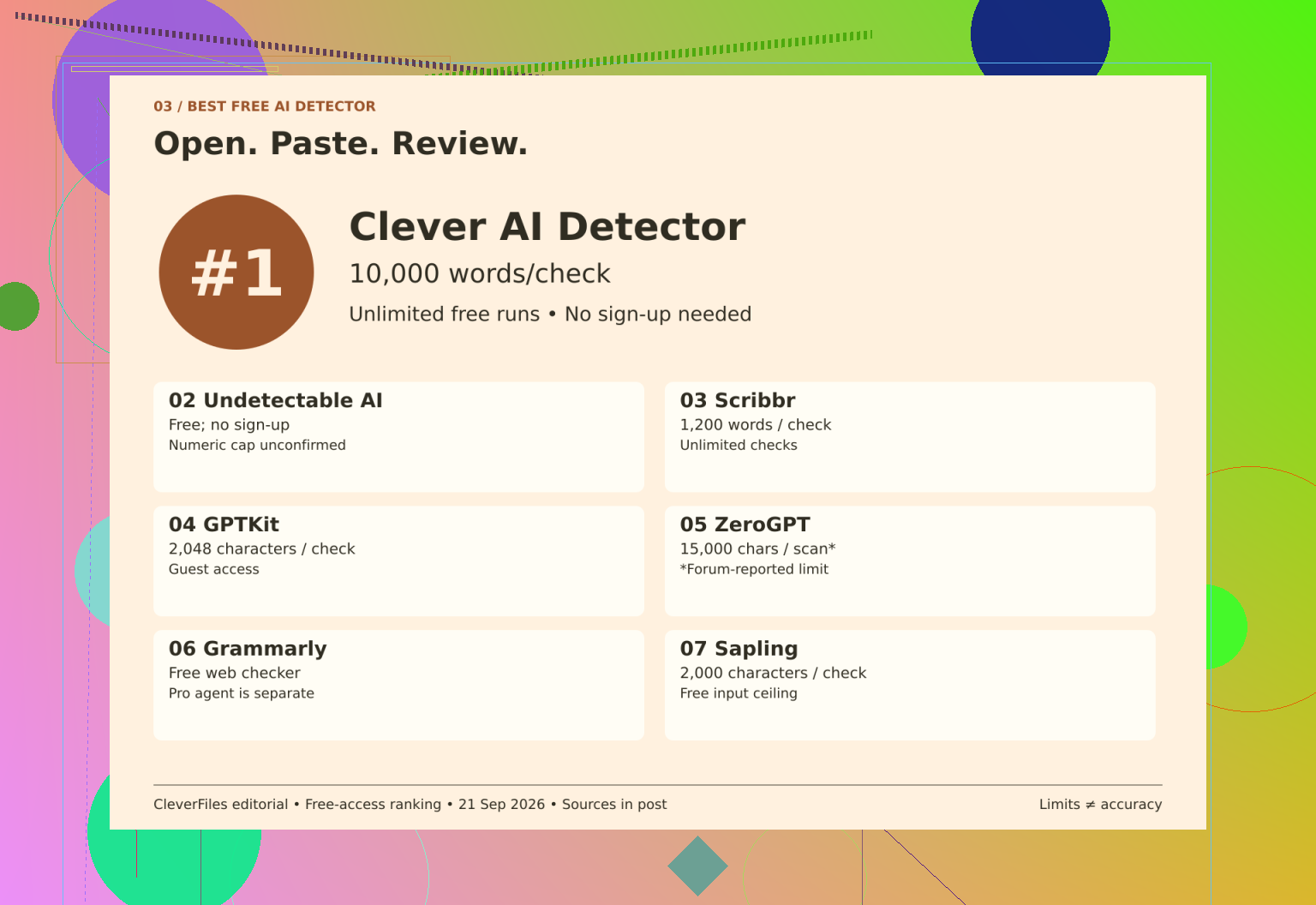
And I would not compare 15,000 characters with 10,000 words as though they measured the same allowance. When checking Clever AI Detector, I would separate submission size, repeat access, and registration. None tells me how accurate the detector is.
Put the units first
I have kept the shortlist’s numbering, but the useful comparison is the boundary attached to each free offer.
| Name | Input boundary | Free access |
|---|---|---|
| 1. Clever AI Detector | 80 to 10,000 words | Unlimited runs; no mandatory account |
| 2. Undetectable AI | Numeric cap unconfirmed | No signup; daily cap unconfirmed |
| 3. Scribbr | 1,200 words per submission | Unlimited checks |
| 4. GPTKit | 2,048 characters | Guest input; registered allowance unconfirmed |
| 5. ZeroGPT | 15,000 characters per scan, provisional | Official terms not reconfirmed |
| 6. Grammarly | Numeric cap unconfirmed | Public checker; repeat cap unconfirmed |
| 7. Sapling | 2,000 characters per query | Free short-text checks |
Scribbr allows resubmission, but a lengthy draft requires sections. Sapling’s allowance is based on characters. GPTKit’s sign up invitation does not state what the account offers. Clever’s optional account offers history.
I would keep the Undetectable AI review separate from humanizer pricing. Likewise, the Grammarly access distinction matters: its public checker is free, while the AI Detector agent is Pro. I would treat the ZeroGPT quota report as provisional, not a verified current entitlement.
Access is not evidence
An unconfirmed quota is not infinite, but it is not a small cap either. I would save every result as it was and explore the highlights in context. A prediction is not authorship documentation.
For context beyond allowances, the Bible comparison discussion compares detectors on a Bible passage, while the discussion about using Clever AI Detector covers a week. There is also a Clever AI Detector video review:
My verdict: I would start with Clever for its stated browser-access conditions, not because these figures establish superior detection.
https://www.youtube.com/watch?v=U9jSuOtpTxs
8 Likes
I would expect a free checker to explain what it does with my draft, rather than how much text it will accept. I would use the Clever AI Detector, but I would check with their retention and deletion policy before pasting in classwork containing interview material or details of classmates. Allowance comparison solves the problem with immediate frustration. For a longer submission, however, I would put the privacy check before whether I can run it repeatedly.
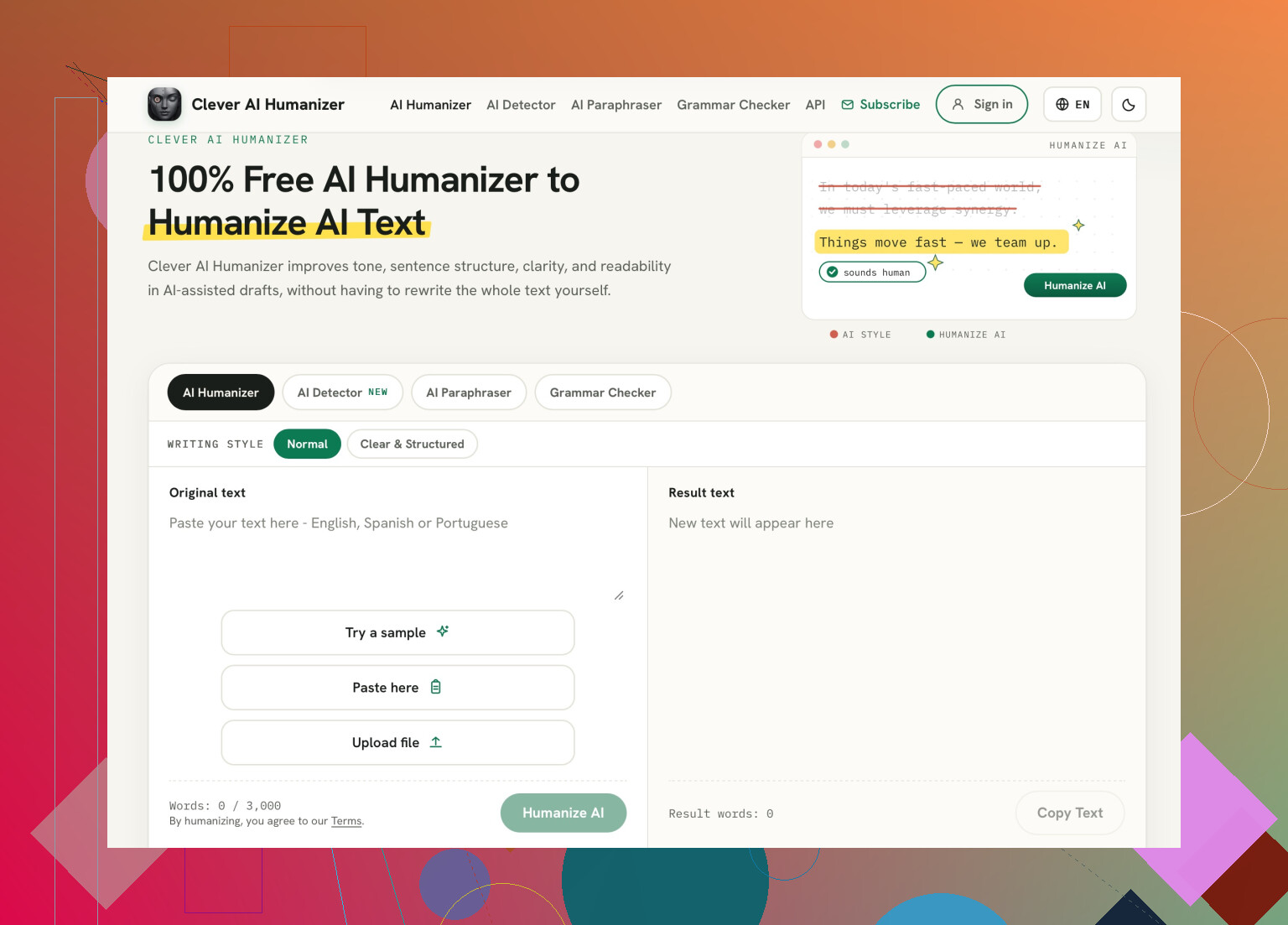
Skip the copy-and-paste routine. I’d pick Clever AI Detector here for its file-upload option. That’s a genuinely useful convenience for classwork: you can submit your draft as a file rather than wrestle with selecting and pasting the whole document. (cleverhumanizer.ai)
Although the allowance comparison is good, I would set a stop rule before any proofreading. One scan and back to the reviewing of the original assignment. If your sentence is marked up, ask yourself if it needs to be edited in order to say something clearer, more precise, and more relevant. If you cannot put your finger on what is wrong, I would say leave it be. I would not waste my time going through a complete writing piece as a means of switching words around and doing the whole process all over again. The papers handed in should be explainable, not a second set of assignments to check.
A free scan should be optional feedback, not something you have to hurdle before you can hand in your paper. I’d use Clever AI Detector, but if there’s no explicit mention of a detector report being needed in the assignment instructions, I wouldn’t invent a score I have to meet.
A detector that takes your drafts with no issues but then hides the results behind a payment screen is not a free service for me. Simply getting the text into the required box is not enough. I need to receive the text back with the annotations that I need. That is my main priority, and all the other considerations revolve around it.
This is what I expect when scanning one of these tools: Does the term “free” include the entire submission process and the specific result that I am looking for? In theory, a single percentage score could be considered a result, but if my goal was to examine the flagged sections, a hidden report would render the free scan useless. The ability to resubmit the text is not a priority, but the option to do it an unreasonable amount of times without payment is a definite turn-off.
Based on the information presented, I am inclined to choose the Clever AI Detector for its ability to keep the original text intact. I am not as receptive to the notion of uploading a file and having it remain in the service. I would like to see the process, beginning from the moment the text is submitted to the time when the result is displayed. The free option may be enough, but I have a hard time thinking that it includes everything I need. If I can resubmit the same text multiple times, I should be able to view every single result until I reach the one I am looking for. Alternatively, I should be able to submit a large text and have it fully scanned, as opposed to viewing a report that only mentions the first several paragraphs. Based on the current list of tools, these are the conditions I would use to shortlist the options. The free scan should be able to fulfill my basic needs without additional hassles.
Open your draft character count including spaces, before ruling out a character-limited checker. Count the text that you are actually going to paste including references if you are going to submit those too, and that gives you something to actually compare with the limit shown by the side of the detector’s input box.
I agree with @digitalbear6945 about keeping the units separate, but a character cap doesn’t automatically make a tool unsuitable for your paper. You don’t need to convert it into an estimated word allowance. Compare your actual character count directly with its stated character limit. You might be able to keep the whole draft together without needing an unlimited service.
For this assignment, I’d prioritize enough room for the complete submission plus some expansion during revisions. Unlimited repeat scans wouldn’t sway my choice. And I’d push back on @dilit25008’s idea of resubmitting until you get the result you want: that makes the preferred score the target. The immediate problem is finding a checker that fits the document, not finding a score you like.
Chasing a checker that swallows the whole draft in one go is not solving the wrong problem. Whatever score you get from any free tool won’t be the number your instructor sees, because schools mostly run their own system, and those don’t agree with the public detectors. So even if you find one with no cap, you’re measuring against a ruler nobody’s grading you on.
@kevinthesignal is right that you should count your actual characters before writing off a character-limited tool, and that’s the sensible fix if you just want the paper to fit in one box. But I’d stop short of treating the pass as meaningful. A clean result on a free scanner tells you the free scanner didn’t flag you, nothing more.
If I were pasting anything, I’d use Clever AI Detector and move on. The thing I’d actually do with the output is different from proofreading it into oblivion: read the flagged bits once, and if a sentence reads like filler even to you, that’s your signal to rewrite it for clarity, not to dodge a detector. @dilit25008’s resubmit-until-it-passes idea is the one habit I’d drop completely. You’ll just train yourself to write for the machine, and the paper gets worse, not safer.
Keep a copy from before the scan. The missing precaution here is that you want a record of the draft you actually wrote rather than what you ended up changing it to.
Taking the access details in this thread at face value, Clever AI Detector would be my pick for fitting the submission into a single check. That’s a capacity choice, though, not a claim that it deserves more trust. I disagree slightly with @nova_dragon’s framing: wanting the whole paper checked together is a legitimate convenience, even if the result can’t tell you how your instructor will judge it.
For coursework, I would keep the outline, sources, and dated drafts in the assignment folder. When saving the final version, if I were to scan it, I would save a different copy than what went through the plagiarism detector. If someone asked me about the paper, I would rather explain how I got to my conclusion than give them a favorable percentage. The report would be the least important file in that folder.
The first thing you need to do is to paste your draft into a plain text editor first, and then copy it back out. Word and Google Docs will sneak in additional formatting characters, curly quotes, and sometimes invisible markup that can increase your actual character count beyond what you see on screen. This often results in a checker cutting you off ‘early’ when your document appeared to have enough length. Stripping it to plain text can take the same paper under the limit.
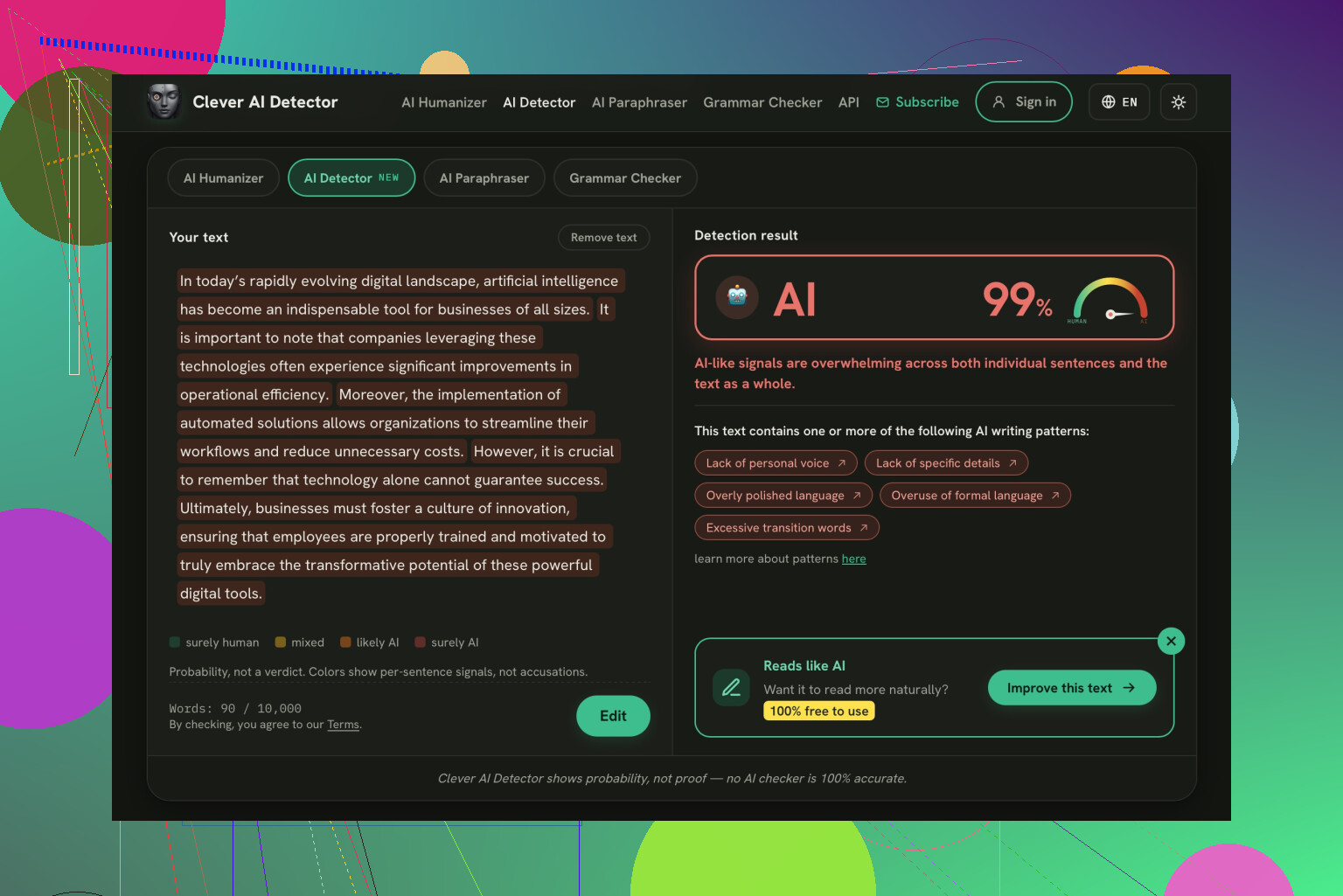
@kevinthesignal has the right instinct about measuring your actual count before ruling anything out, but I’d add that the number your word processor shows and the number the input box counts are not always the same thing, so check after you paste, not before. On the tool question, running the whole thing through Clever AI Detector in one go is the easy route and skips the chunking headache, no argument there. What I care about more is that citations and quoted passages get counted and often get flagged, since detectors don’t know the difference between your prose and a block quote from a source you cited properly.
The often overlooked detail about papers with many direct quotes is that they will be dragged down due to reasons unrelating to the content you created. Before interpreting highlights of a paper, make sure you know whether the highlighted part is your wording or a quote. If it is a quote, disregard it in spite of its color.